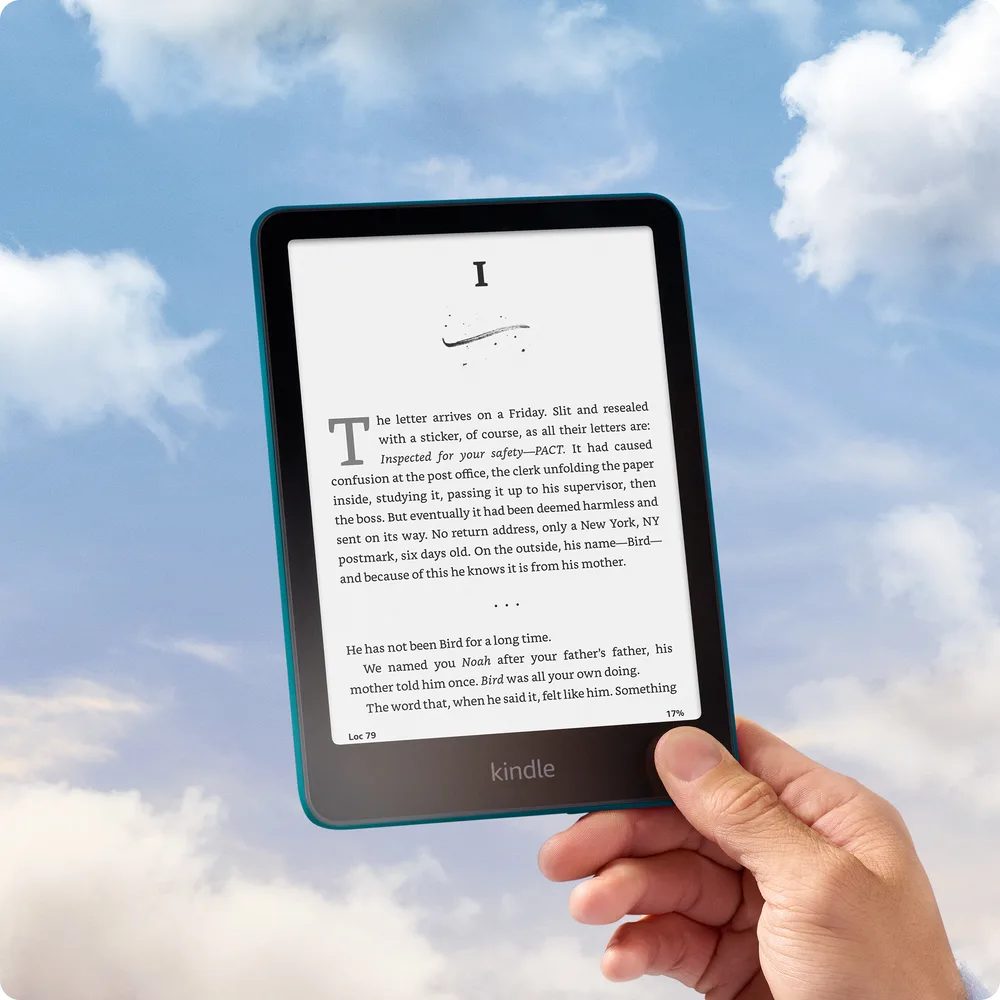
The Kindle vs Kindle Paperwhite choice comes down to where you read. At home, the Paperwhite has clear perks. On a bus or in a small bag, the basic Kindle makes a strong case of its own.
This guide compares the 2024 basic Kindle and the 2024 Kindle Paperwhite. Check the model year when you shop. Older devices and used listings may have different screens, ports, and storage.
Kindle vs Paperwhite at a glance
| Basic Kindle | Kindle Paperwhite |
|---|---|
| 6-inch black-and-white screen | 7-inch black-and-white screen |
| 300 pixels per inch | 300 pixels per inch |
| 16 GB of storage | 16 GB of storage |
| Front light, without a warm setting | Front light with a warm setting |
| No waterproof rating | IPX8 waterproof rating |
| Smaller and lighter | More room for each page |
| USB-C charging | USB-C charging |
Kindle Paperwhite price: what does the extra money buy?
The basic Kindle was introduced at $109.99 in the US. The standard Kindle Paperwhite started at $159.99. That is a $50 gap before tax, sales, covers, or changes to the ad option. These are reference prices, not a promise about today's checkout price.
That extra cost buys a larger screen, warm light, and water protection. It does not buy sharper text: both screens have 300 pixels per inch. Nor does it buy more storage in these standard models. Both have 16 GB.
Amazon lists the core features in its Kindle launch announcement. Prices and offers can change, so compare the same storage size and ad setting before you pay.
Our view: the Paperwhite earns its price if you will use its warm light most nights. If you read for ten minutes on the train, the basic Kindle may give you all you need. A feature has value only when it makes your own reading life better.
Which e-reader screen feels comfortable?
A 7-inch screen gives the Kindle Paperwhite more room for text than the 6-inch Kindle. At the same font size, that can mean fewer page turns. If you like large print, the extra space is useful. You can make text larger on both devices, but a small screen fits fewer words at that size.
The basic Kindle has a different strength. It is easier to fit in a small bag and takes up less space in your hand. For a reader who holds a book up for long stretches, weight can matter more than one extra inch of screen.
A cover adds size and weight to either Kindle. Think about the device you will carry with its case, not just the bare unit in a product photo.
Both use an E Ink screen. For plain text, this gives a page-like look rather than the glossy feel of a phone display. Neither is a color tablet. Book covers, charts, and pictures appear in shades of gray.
If color notes or illustrated books are the reason you want a new e-reader, see our Kobo Libra Colour review. A bigger black-and-white screen will not solve a need for color.
Warm light is the real bedtime upgrade
Both Kindles have a built-in front light, so you can read when the room is dim. The Kindle Paperwhite also lets you change the light from a cooler tone to a warmer one. The basic Kindle lets you change brightness, but does not have that warm-light control.
That is a small detail on a spec sheet and a large part of daily use. If you dislike cool light at night, the Paperwhite gives you a choice the basic Kindle cannot offer. It does not mean one device will cure eye strain or improve sleep. Those claims go beyond this comparison.
Turn the light down to suit the room rather than leaving it at a high level. A bright screen can be distracting next to a sleeping partner, even when it is warm.
Read paper books in bed too? Our guide to reading lights for bed looks at ways to put light on the page without lighting the whole room.
Battery life: treat weeks as a guide
Amazon rates the basic Kindle for up to six weeks of battery life and the Kindle Paperwhite for up to twelve weeks. Those are claims under set reading conditions. They do not mean six or twelve weeks of constant use.
Your battery life will vary with reading time, light level, and wireless use. Downloading books and leaving Wi-Fi active can change the result. A long book binge will use more charge than a few pages each night.
Both use USB-C. For most readers, the more useful question is whether charging will interrupt a trip, not which model wins a weeks-on-paper contest. Charge before you leave, download your books, and you can read them without a live Wi-Fi link.
The Paperwhite has the stronger stated battery life. Still, battery life alone is a weak reason to replace a basic Kindle that already lasts between your normal charging stops.
Waterproofing matters near water
The Kindle Paperwhite has an IPX8 waterproof rating. The basic Kindle does not. If you often read near a bath or pool, that is a real reason to favor the Paperwhite.
A rating is not a reason to leave an e-reader in water. Follow the maker's care advice, and do not charge a wet device. Water protection also does not mean the screen is safe from drops or scratches.
For dry train rides, a chair at home, and books at lunch, the basic Kindle's lack of waterproofing may make little difference. Pay for the risk you actually face.
Your Kindle device and your books
These two Kindles use the same core book store and reading system. You can buy ebooks, change the font size, save your place, and read downloaded books offline. A paid book subscription is not required just to use a Kindle.
Neither standard model has physical page-turn buttons. You tap or swipe the touch screen. If buttons are your main wish, moving from the basic Kindle to the Paperwhite will not meet it.
Both have enough storage for a large text-book library. Image-heavy files take more space than novels. Do not assume every PDF will be pleasant to read on either screen. A fixed page with tiny text can call for zooming and panning. For dense charts or large work files, a tablet or computer may suit you better.
Library borrowing also has limits. Eligible US library ebooks can be sent to Kindle through supported services. That does not mean every library, country, or title supports it. Check your library's catalog before buying a Kindle for that purpose.
What other readers weigh up
The trade-off is not just price. In a reader discussion of size and warm light, the question is which comfort matters more: a compact device or a warmer screen. Treat such reports as personal views, not proof that one model feels best in every hand.
That is the right way to frame your own choice. If possible, hold both sizes in a shop. Think about your usual reading spot and the font size you use. A bigger display may feel like a gain at a desk and a burden when you hold it above you in bed.
Do you need an e-reader if you have a tablet?
A Kindle is worth considering when you want one device just for books. A tablet does more. That is both its appeal and its drawback. If alerts, games, or other apps pull you out of a story, an e-reader puts fewer things in your way.
You can read ebooks in phone and tablet apps without buying another device. Try that first if you are not sure you like digital books. Smartphones also fit a pocket, though a long page can feel cramped on a narrow screen. A Kindle is a separate purchase, not a requirement for reading ebooks.
An E Ink screen is built for pages, not fast-moving content. Do not buy either Kindle expecting a small tablet for video or drawing. The Kindle Paperwhite is the more costly e-reader in this pair, but it still has that same purpose.
For a plain novel, an e-reader makes sense. For a large color image, a tablet may be the practical choice. Think about the books you already read. If most are paper novels, the move to E Ink is fairly simple. If most are full-page art books, look at the page layout before you switch.
Is an upgrade worth it for your reading habits?
Start with three questions. Does your current device fit your hand? Is its light comfortable in your usual room? Does its battery life last through your normal week? If all three answers are yes, a new e-reader may not be worth the cost.
If the light bothers your eyes, adjust its brightness first. Warm light changes the tone, but it does not make every reader comfortable. If weight is the problem, a larger Kindle Paperwhite could be the wrong move. A smaller Kindle with a light case may be worth more to you than extra features.
If you rarely leave home with a book, the small Kindle's size may be less useful. If you carry it all day, that size can be worth giving up the warm setting. There is no need to buy the Kindle that friends prefer when your routine is different.
Before a trip, test your downloaded books with Wi-Fi off. Open each one and turn a few pages. That small check is worth the time: you do not want to reach a beach or train seat and find only a cover image is saved. Longer battery life helps on a trip, but it cannot replace a book you forgot to download.
Finally, compare the full price with a case. If a sale is close, you can wait, but do not assume the next offer will be better. The basic Kindle is worth buying at a price you are happy with. The Kindle Paperwhite is worth the extra money when its features solve a real need.
Which Kindle should you buy?
Buy the basic Kindle if you want a small, light e-reader at a lower price. It is a sensible first Kindle and a good fit for travel. You still get crisp text, a front light, and the same core access to Kindle ebooks.
Buy the Kindle Paperwhite if you read in bed often, want larger text with more room around it, or value water protection. The warm light is its clearest daily advantage. Longer stated battery life is a welcome extra.
Keep your current Kindle if it works well and none of those features solves a problem for you. A new screen will not make a dull book better. Spend the difference on something you want to read.
Quick answers
Is Kindle Paperwhite text sharper?
Not in this pair. Both have a 300-pixel-per-inch screen. The Paperwhite's screen is larger, but the basic Kindle is not a lower-resolution choice for plain text.
Can you read the basic Kindle in the dark?
Yes. It has a front light. What it lacks is the Paperwhite's adjustable warm-light setting.
Do you need Wi-Fi to keep reading?
No. Once a book is downloaded, you can read offline. Use Wi-Fi when you need to download, sync, or shop.
Is the Paperwhite worth the price difference?
For a regular bedtime reader who wants warm light, yes. For someone who prizes low weight and small size, the basic Kindle can be the better buy. Choose the benefit you will notice each day.